
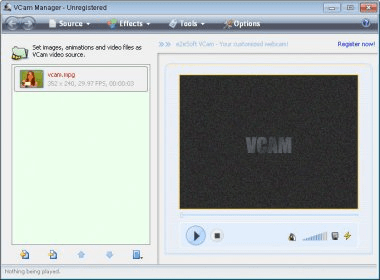
e2eSoft VCam installs a virtual webcam device on your system. This virtual webcam can be set to play a video file. So, under most applications that can use the stream from a webcam, other users will see the video file playing instead of your real web camera.
There are a variety of sources that you can set e2eSoft VCam to use. For example, I have mentioned that you can add a video file, but you can also use an image file, the stream from a video capture device, capture a region of your screen and broadcast that, use a DVD movie, or a number of other sources. Adding a video file is one of the easiest ways to use this application. It can read files from most formats and play them well enough. They can also be set to play on a loop, or you can add multiple videos which will play one after the other. The options for using screen capture as a source are very interesting. You can use a region of the screen or e2eSoft VCam can follow a specific window. Additionally, you can record the entire screen. However, given that most webcam conversations use limited resolution, this last option might not be the best.
As extras, VCam allows you to add a variety of effects to your video sources. It also allows you to take snapshots of what you are broadcasting and record a video.
I liked that this application didn't ask me to reboot my system after installation. It certainly makes it easy to start broadcasting out-of-the-box. The user interface is very intuitive and very well designed.






Comments (1)